Open source · Windows, macOS and Linux · 2026
ClaudeSeverance
Work stays at work.Personal stays yours.

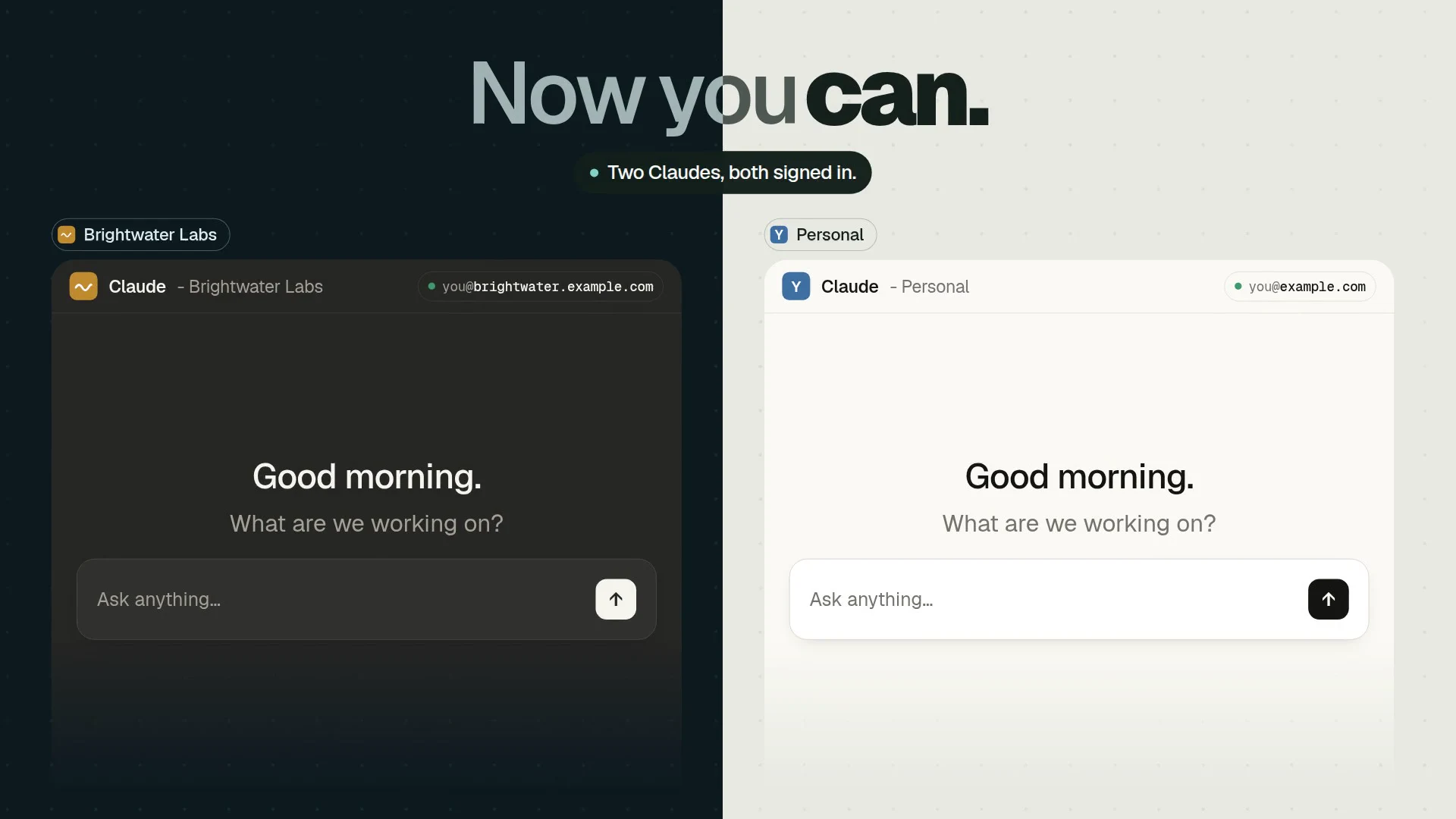
Switching accounts used to sign one out. Now Personal and Brightwater Labs run side by side, both signed in and both answering, then every org gets its own window. Every org and email in it is made up.
Sound on: narration, music and effects.
Claude Severance runs my personal and org Claude accounts at the same time on one computer. My personal account stays my normal Claude. Each org account gets its own Claude Desktop window and its own claude command, with its own login, chats and Claude Code memory, so switching accounts never signs another one out. It is free and open source under MIT: 1.1 is the stable Windows release, and 2.0, a rewrite in Rust, brings macOS and Linux in preview.
Free and open source · 432 KB · No administrator · Release notes
01Why I built it
Two Claudes,
signed in at once.
I needed two Claudes signed in at once: my personal account, and my org account to work with the team. Switching accounts in Claude signs one out to open the other, and Claude Code keeps one login, one memory and one CLAUDE.md per computer, so work context and personal context end up in the same place.
Both apps already have the seam to work with. Claude Desktop is an Electron app that keys its login, chats, settings and its one-window lock to its data folder, and Claude Code reads its whole configuration from CLAUDE_CONFIG_DIR. Give each account its own pair of folders and it becomes an independent Claude that runs beside the others. The rest of the work is making that feel like one calm tool.
02What it does
Every account
on its own floor.
- 01
Signed in everywhere at once
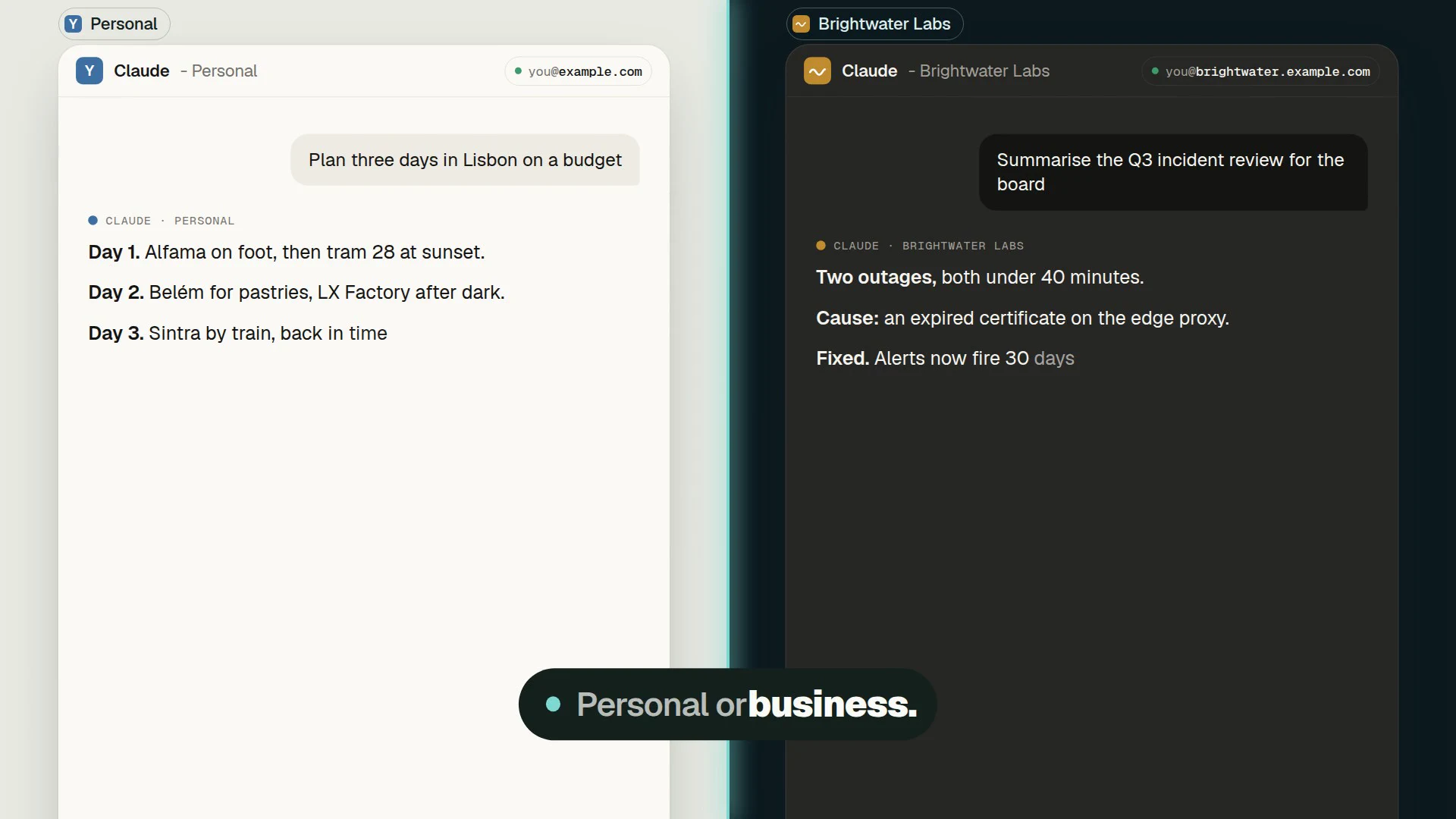
Every account runs in its own Claude Desktop window, at the same time. Switching accounts never signs another one out.
- 02
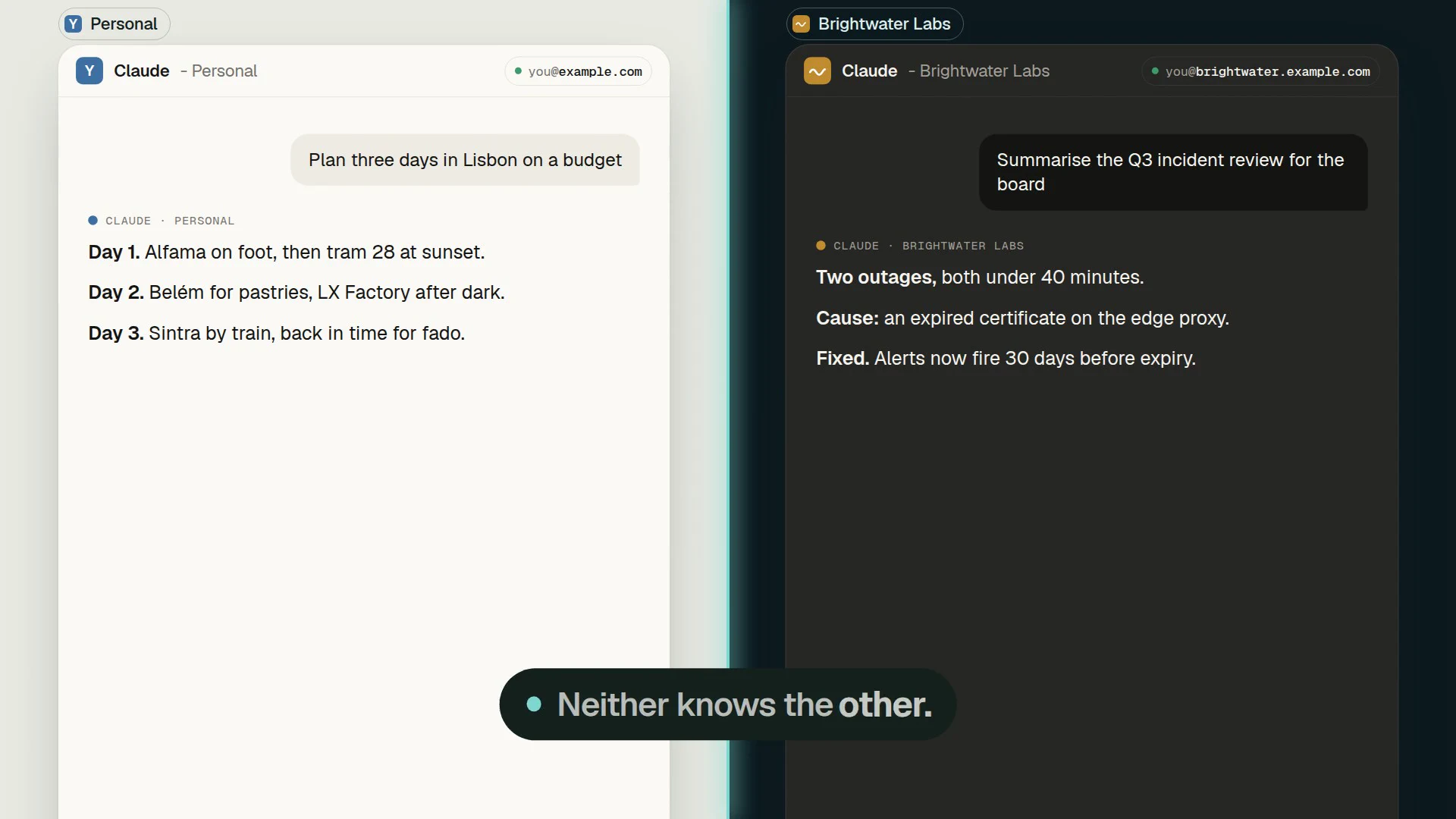
Separate context
Each account keeps its own Claude Code memory, CLAUDE.md, settings, MCP servers, skills and history.
- 03
The folder picks the account
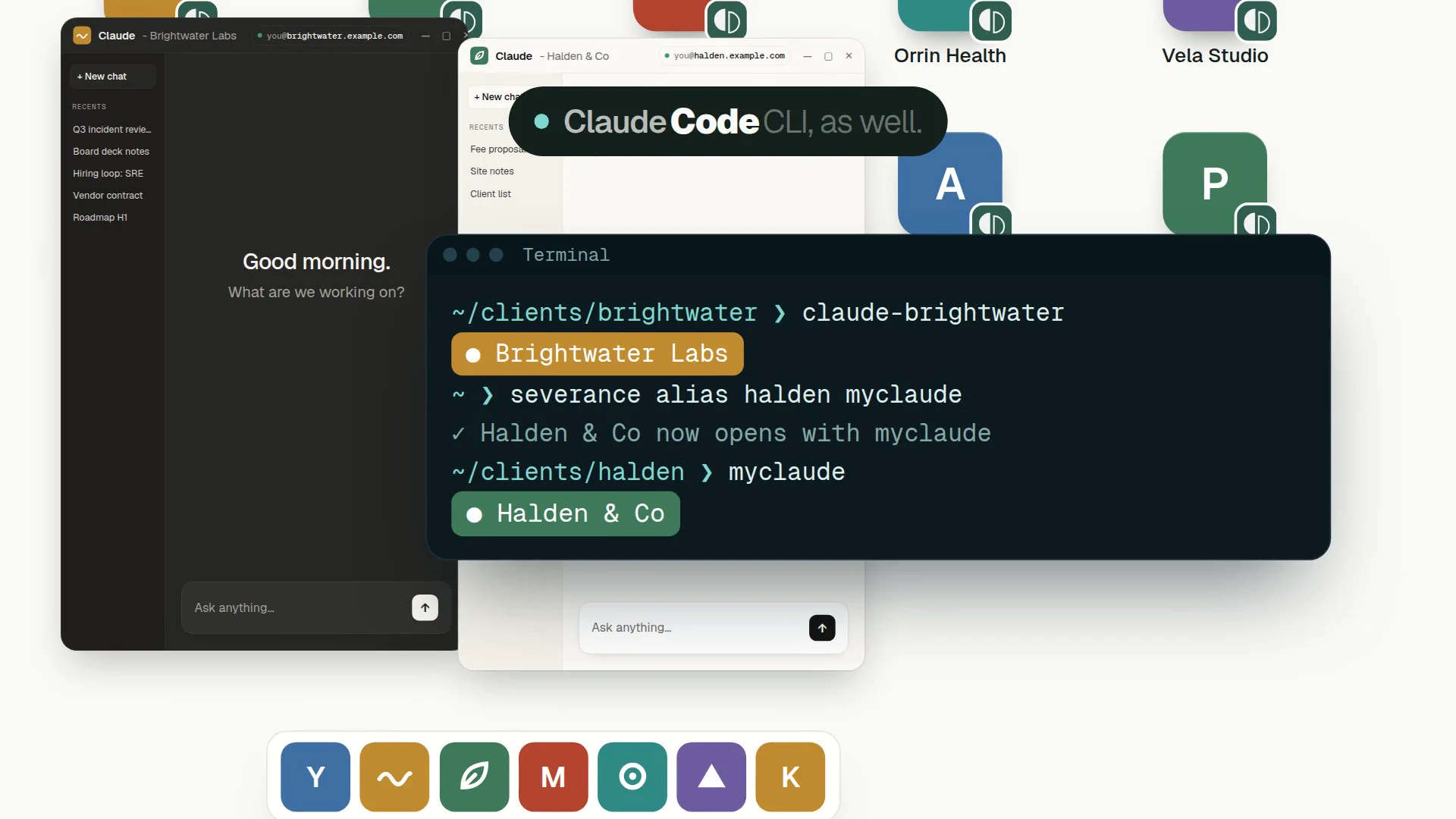
Plain claude in D:\clients\acme opens as Acme, and asks when a folder is not mapped. Every account also has its own command, which works in any terminal.
- 04
Always know which account you are in
A badge in the account’s colour, with the signed-in email, sits in Claude Code’s status line and turns red on a wrong login.
- 05
Command names, checked
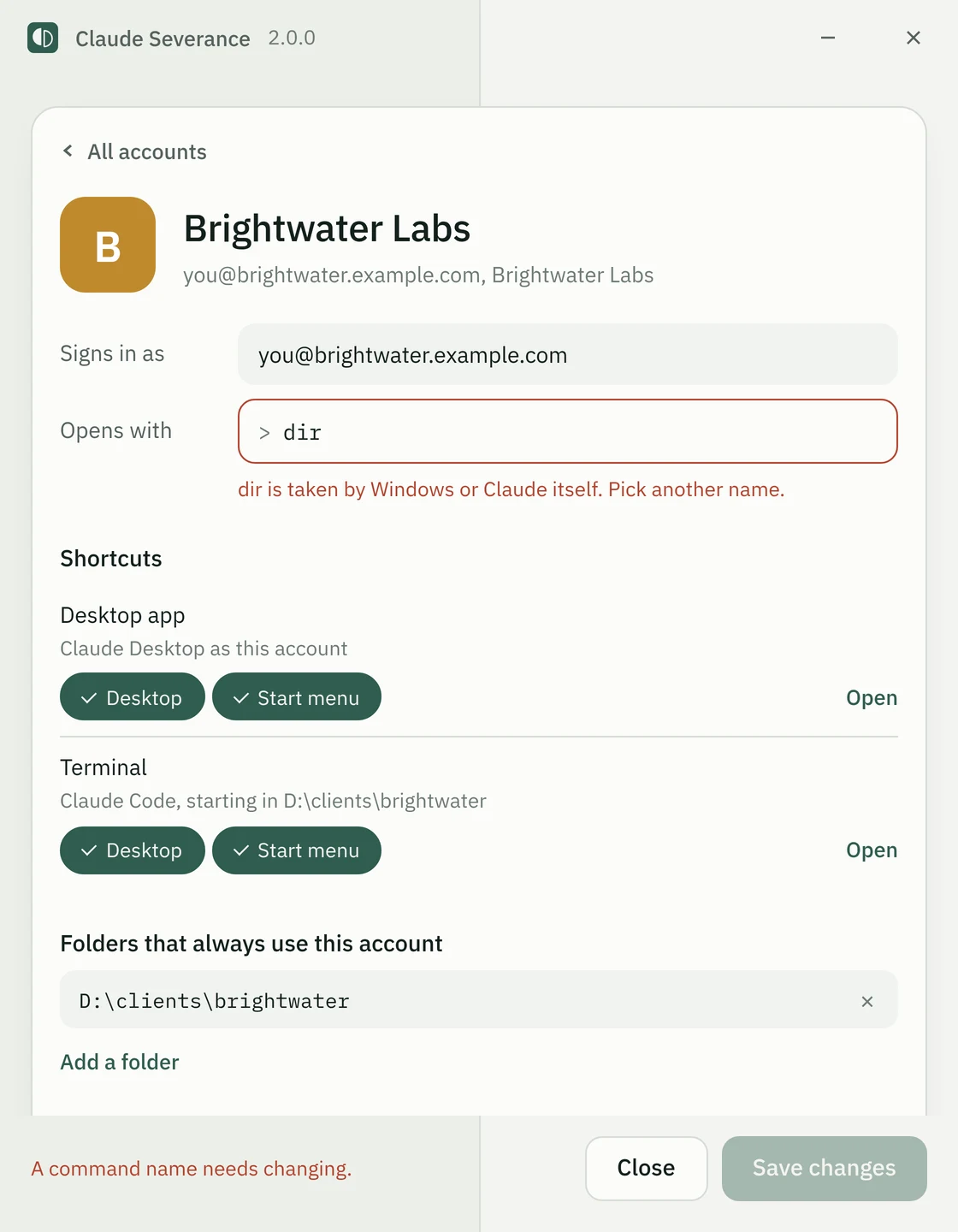
Before a name is used, setup checks Windows and cmd built-ins, claude itself, the other accounts and every program, script, function and alias PowerShell can find, and says what holds it, live as you type.
- 06
Installs for you only
One click, no administrator, an entry in Settings > Apps. Removing an account zips its memory and history first, never its login.
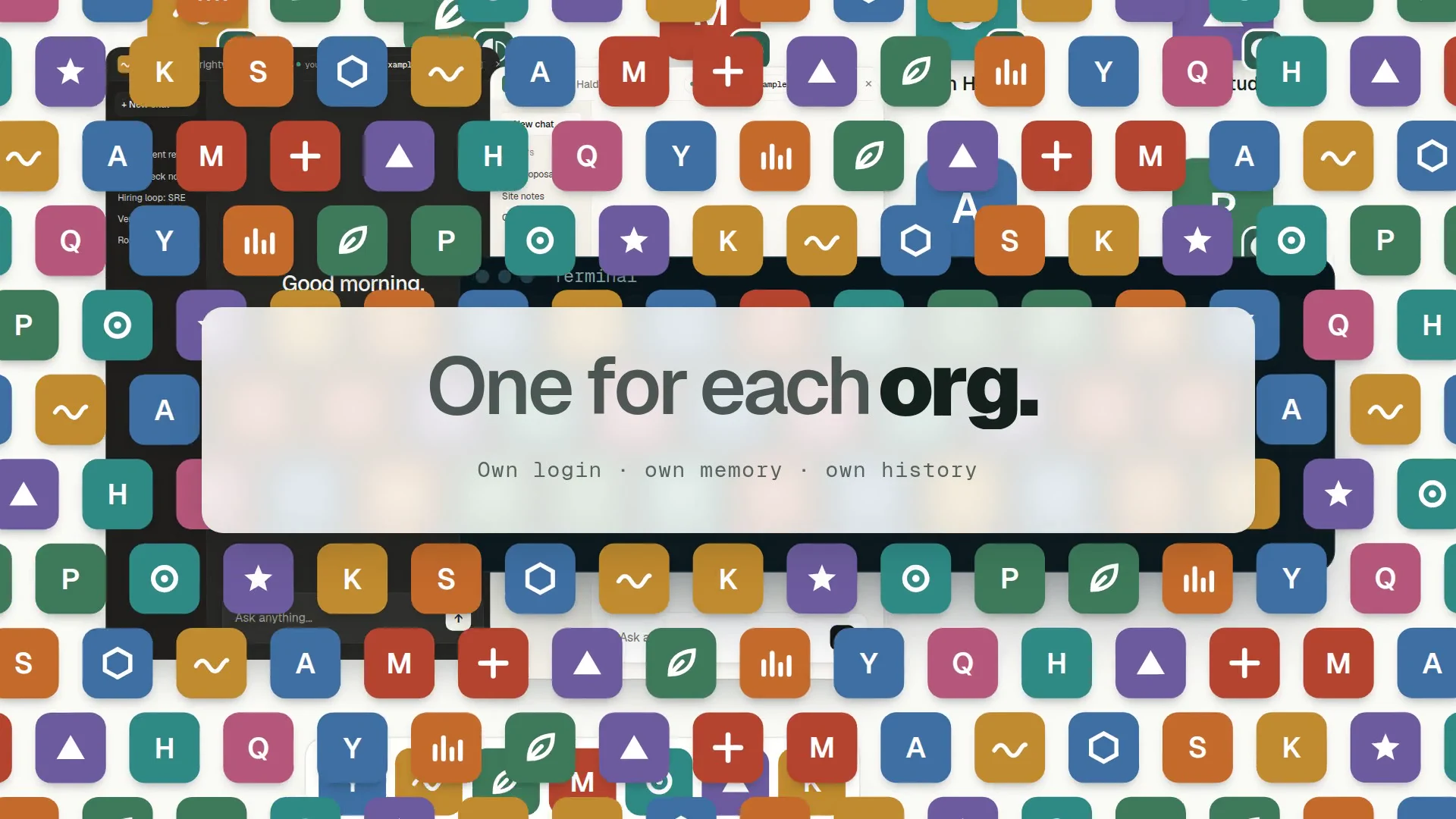
Every org. Its own window.
As many accounts as you need. Each gets its own icon: the org’s logo, or a coloured tile with its first letter.
042.0
One codebase.
Three platforms.
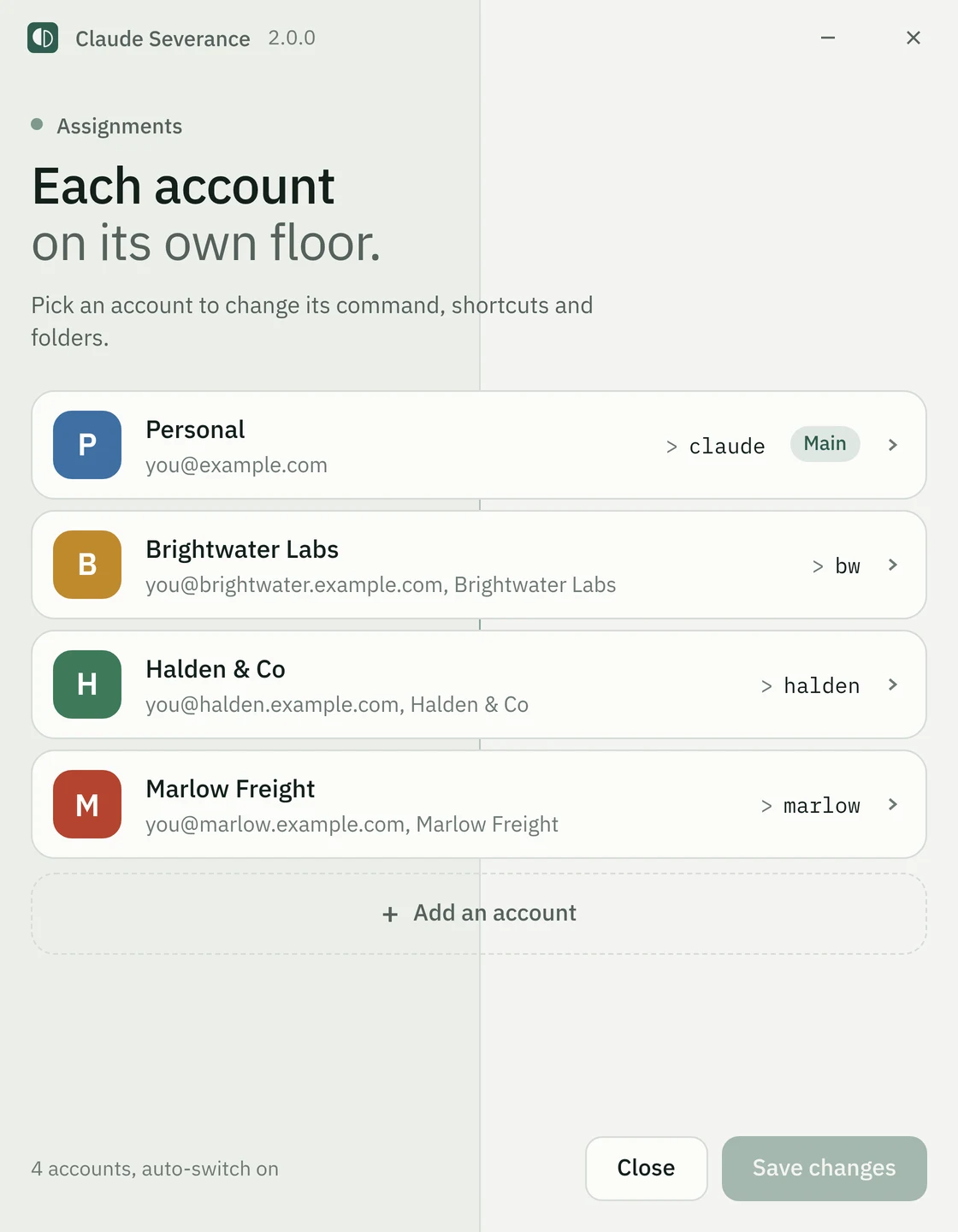
Version 2.0 is a rewrite in Rust: a core library, the severance command and a Tauri manager window, reading the same accounts file, so a 1.x install updates in place. It adds macOS and Linux, a desktop-app and a terminal launcher per account, and a manager window that lists every account with its sign-in check.
CI installs it for real on fresh macOS and Linux machines: it runs every launcher, checks that bash and zsh pick the account by folder, opens the manager window, then removes an account and uninstalls, checking nothing is left behind.
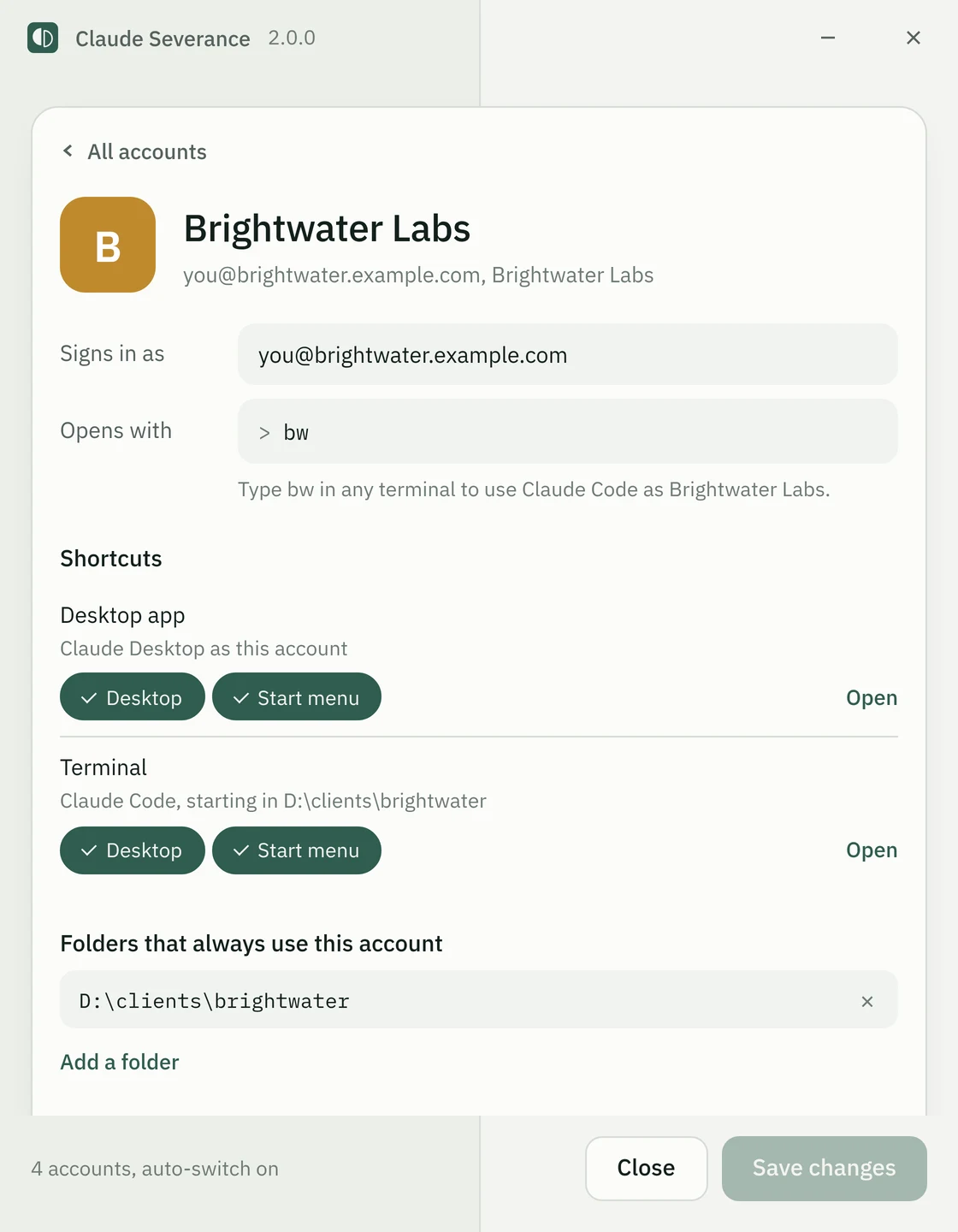
The manager window, rendered from the app in preview mode on sample accounts.
Stable · 1.1
Windows
Desktop and Start menu shortcuts, a command per account, auto-switch in PowerShell, Settings > Apps.
2.0 preview
macOS
.app launchers in Applications and on the desktop; commands in ~/.zshrc.
2.0 preview
Linux
.desktop launchers in the app menu and on the desktop; commands in ~/.bashrc.
05How it works
Two folders per account.
No changes to Claude.
ClaudeSeverance\accounts.jsonevery account: name, colour, logo, command, email, foldersbin\scripts, fonts, icons, one command per accountlogos\<id>.pngan org’s own logo, if it has onedesktop\<id>\Claude Desktop data: its own login and chatscode\<id>\Claude Code config: CLAUDE_CONFIG_DIR
Your main account keeps the normal app data and ~/.claude, untouched except the status line.
- 01 / 03
Separate data folders, not a modified Claude
Claude Desktop keys its login, chats and one-window lock to its data folder, and Claude Code reads everything from CLAUDE_CONFIG_DIR. Starting the official apps with their own folders gives independent accounts without changing either app.
- 02 / 03
Rust and Tauri for 2.0, not a separate port per platform
One Cargo workspace serves Windows, macOS and Linux and reads the same accounts.json as 1.x, so an existing install updates in place, every login untouched.
- 03 / 03
Logins never leave their folders
Claude Severance never reads, copies or sends a login. Removing an account zips its memory and history without the tokens, and uninstall keeps extra accounts signed in unless asked to remove them.
On the Microsoft Store build the main account starts through shell:AppsFolder, as the Start menu does, so it keeps its app identity and Cowork.
1.x is one PowerShell 5.1 module shared by a WPF setup window, a text setup and the severance command. The window runs the work in a background runspace and shows each real step as it finishes.
2.0 is a Cargo workspace (severance-core, severance-cli and a Tauri 2 app) with a --sandbox mode that runs any command against a pretend computer in one folder.
Release tags build archives for Windows x64 and Arm64, Linux x86_64 and aarch64, and macOS universal, with build attestations.
Known limits
- Extra Desktop windows rely on Electron’s --user-data-dir flag, which Anthropic does not officially support for Claude Desktop. The main account does not depend on it.
- macOS and Linux are a preview: tested on fresh CI machines, not yet on a real Mac or Linux desktop, and the macOS build is not signed yet.
- Git, SSH and cloud CLI logins are shared by every account; complete separation needs a separate OS user per organisation.
Procedure completeFree · MIT licence
Every account,
side by side.
Every platform, every feature, free. No account, no administrator, and it never touches a login.
Stable · 1.1
Windows
Windows 10 and 11
- One setup window, one click
- No administrator, for you only
- Uninstall from Settings > Apps
Windows PowerShell 5.1, built in
2.0 preview
macOS
Apple silicon and Intel
- .app launchers in Applications
- Commands in ~/.zshrc
- The manager window
Not signed yet, not yet tried on a real Mac
2.0 preview
Linux
x86_64 and aarch64
- .desktop launchers in the app menu
- Commands in ~/.bashrc
- Claude Desktop where it is installed
Not yet tried on a real Linux desktop
Open source
Source code
MIT licence
- PowerShell for 1.x, Rust for 2.0
- CI on Windows, macOS and Linux
- Issues and pull requests welcome
Read it, change it, ship it
- 01
Download and extract
The zip holds Install.cmd, Uninstall.cmd and the scripts.
- 02
Double-click Install.cmd
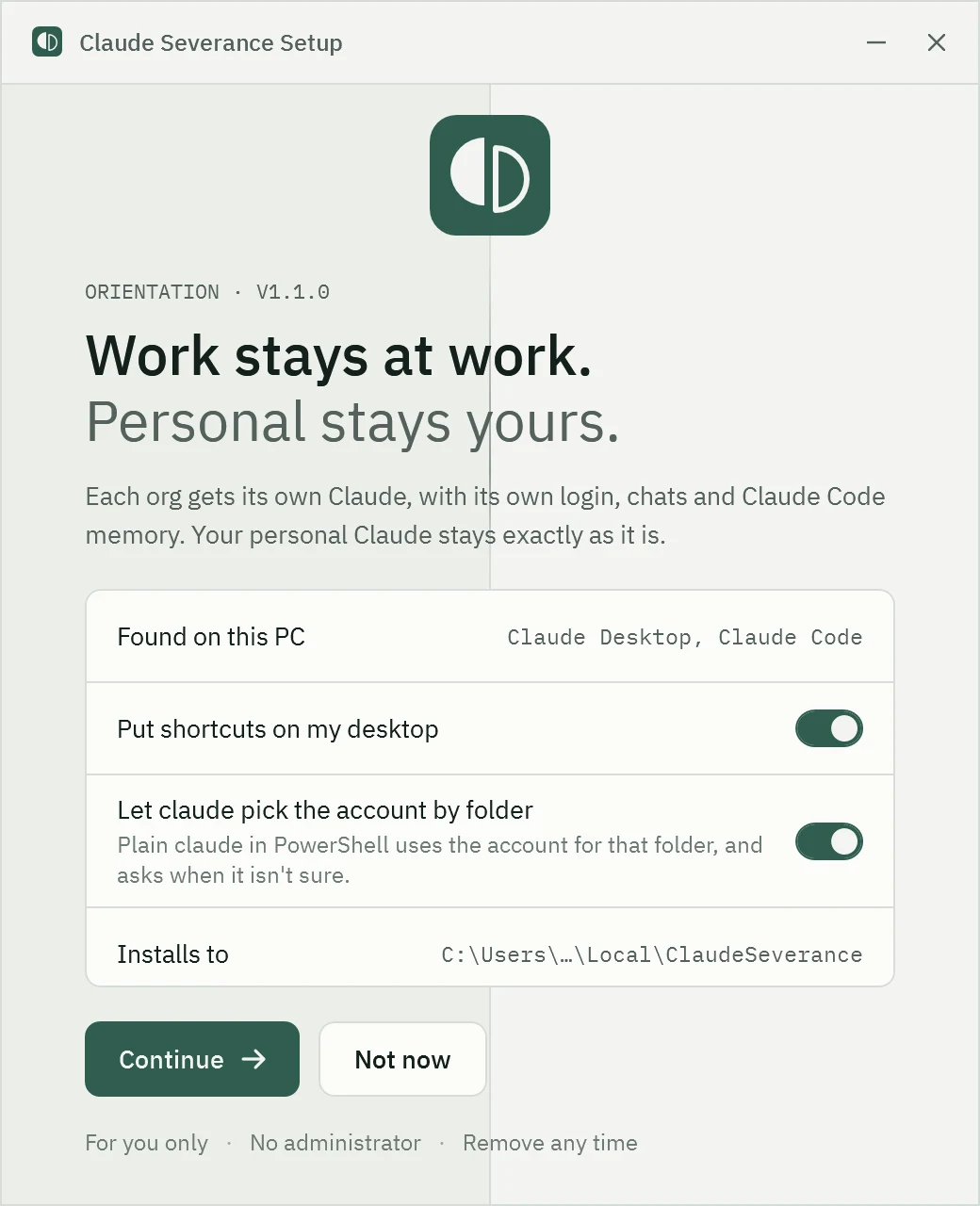
The setup window opens. It installs for you only and needs no administrator.
- 03
Welcome
Setup checks for Claude Desktop and Claude Code, and offers to install either if it is missing.
- 04
Accounts
Your main account is the Claude you already use. Add one account for each org; the email and project folders are optional.
- 05
Ready
Open each new account and sign in once.
Signing in to a new account. The browser sends the sign-in link to your main Claude. Copy the code it shows, press Cancel there, and paste the code into the new account’s window. For Claude Code, run the account’s command and type /login.
Download the archive for your system: macOS (Apple silicon and Intel, 10.7 MB), Linux x86_64 (5.6 MB) or Linux aarch64 (5.3 MB). Then, in a terminal:
tar -xzf ClaudeSeverance-*.tar.gz
cd ClaudeSeverance-*/
xattr -dr com.apple.quarantine .   # macOS only
./severance install
Open a new terminal, then add an account per org with severance add Acme --email you@acme.com --folder ~/clients/acme, or open the manager window with severance setup.
A preview. Every part of it is tested on fresh macOS and Linux machines in CI, but not yet on a real desktop. What works and what doesn’t is welcome as an issue.
- Role
- Creator · Solo build with Claude Code
- Period
- Nov 2026 – present
- Status
- v1.1 on Windows · 2.0 preview on macOS and Linux
- Stack
- PowerShell 5.1 · WPF · Pester 5 · Rust · Tauri 2 · GitHub Actions
A small developer tool that wraps two official apps without changing them, with installs, updates and uninstalls that never lose a login. Would adapt to any team that needs several identities or tenants side by side on one machine.
An independent open-source tool, not affiliated with Anthropic. Claude is a trademark of Anthropic, PBC. Claude Severance only launches the official Claude Desktop app and Claude Code; it does not change them.